
Blue Yeti USB Microphone Review (2026): Still the Default for New Streamers
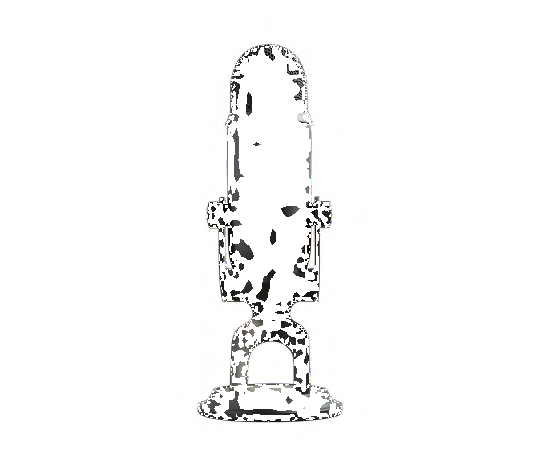
This post contains affiliate links. As an Amazon Associate, we earn from qualifying purchases at no extra cost to you. Learn more.
Key specs
- Connection
- USB, plug and play
- Pickup Patterns
- 4 patterns (cardioid, omnidirectional, bidirectional, stereo)
- Compatibility
- Windows and Mac
- Extras
- Built in headphone jack, gain control
The Blue Yeti has been the go to recommendation for anyone starting podcasting, streaming, or remote work calls for years, and after using it for both recorded voiceover work and daily video calls, it's clear why it became the default rather than a niche choice.
Who it's for
This is aimed at anyone who needs noticeably better audio than a laptop's built in microphone, whether that's for podcasting, streaming, or frequent video calls, without wanting to learn a full audio interface setup. Serious musicians recording instruments will eventually outgrow it in favor of an XLR microphone and interface.
What we liked
- True plug and play setup means no drivers or audio interface are needed, it just works over USB on both Windows and Mac.
- Four pickup patterns let it adapt to solo recording, interviews with two people, or even group recording around a table.
- The built in headphone jack with zero latency monitoring lets you hear exactly what's being recorded in real time.
What could be better
- It's noticeably bigger and heavier than most USB microphones, which matters if desk space is limited.
- Being a side address condenser mic, it can pick up more room echo and background noise than a dynamic microphone in an untreated room.
Key specs, explained
The four pickup patterns change which directions the microphone actually listens to. Cardioid picks up mainly from the front and is best for solo recording, omnidirectional picks up evenly from all directions for group recording, bidirectional picks up front and back for two person interviews, and stereo captures a wider sense of space for music or ambient recording. Zero latency monitoring through the built in headphone jack means there's no delay between speaking and hearing yourself, which prevents the disorienting echo effect some USB mics cause.
Frequently asked questions
Q: Do I need an audio interface or mixer to use it? No, it connects directly to a computer over USB and is recognized as a standard audio input device without any extra hardware.
Q: Is it good for a noisy room? Not especially, since as a condenser microphone it's sensitive and picks up more ambient noise than a dynamic microphone would in the same room.
Should you buy it?
For anyone who wants a clear, reliable upgrade from a laptop microphone without a steep learning curve, this remains an easy recommendation.
Check price on Amazon